Variable assignment in JavaScript
JavaScript is definitely a favorite amongst many software developer, it has been around for a while and has seen considerable changes. One those changes being the variable declarations.
Previously the var keyword was used, it was the main and only way to declare variables in JavaScript, in recent times the let and const keywords where also introduced as keywords for variable declaration in JavaScript. In a perfect world we would call the var keyword obsolete but we are not in a perfect world, are we ?. The truth is that some developers still use the var keyword for variable declaration till date. What is the difference between this keywords you may ask, well let's find out together shall we.
The var keyword is said to be function scope defined which mean that variables defined using the var key is accessible outside it's scope while variables defined using the let and the const keyword are said to be block scoped. Let me explain further
function sayHi(){
       var word = "hi"
       console.log(word)
     }
    sayHi()
This will work perfectly without no errors why because the var keyword used to declare the variable word makes it accessible outside it's scope. Although the var is still very much usable in modern programming, this might lead to an issue later on if you unknowingly reassign the value of the variable word because you used the var keyword you might never find out, till maybe say compile time or after you have launched the project, then you might notice you reassigned the value without knowing.
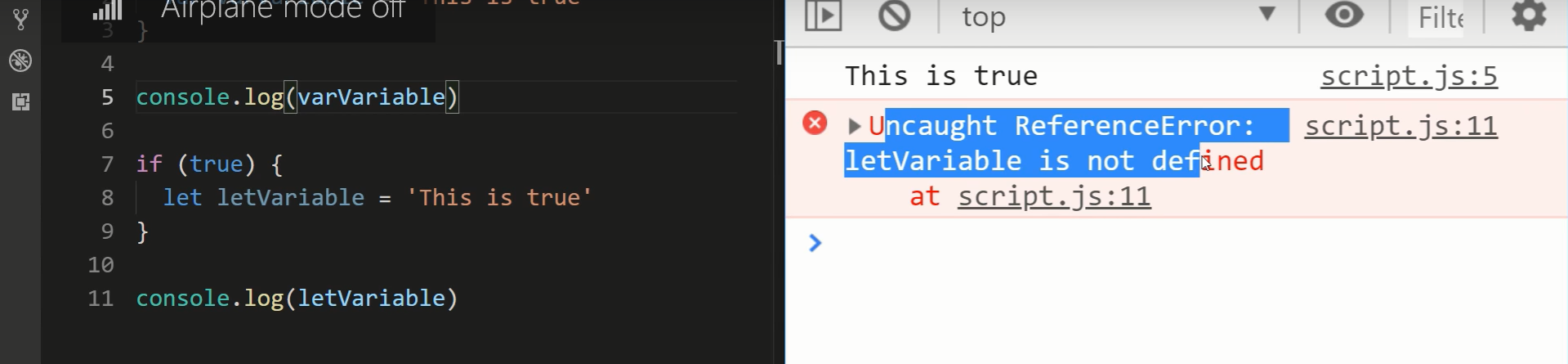
But with the let and const keyword the above code snippet will through an error because they are said to be block scoped defined. The let and const won't allow you access variables outside it's scope. To access the variable you have to access it inside it's scope for example.
function sayHi(){
       let word = "hi"
       console.log(word)

      sayHi()
     }
OR
function sayHi(){
       const word = "hi"
       console.log(word)

      sayHi()
     }
So this is the major difference between the var, the let, and the const keywords.
Comments
Join the discussionNo comments yet. Be the first to comment.